
Technology and Tools for Webcam Models (Gear & Software Guide)
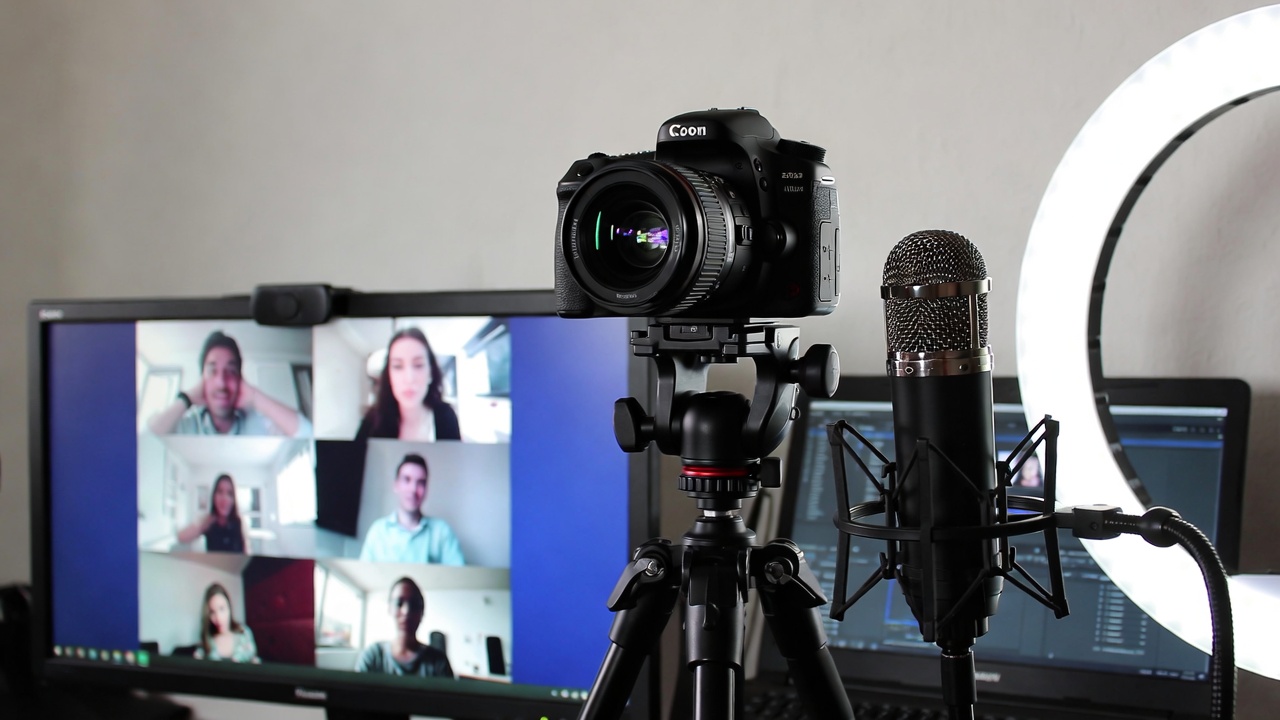
In webcam work, technical quality doesn’t shout — it whispers. Viewers rarely sit there evaluating your setup. They just feel it. If the image is sharp, the lighting flatters you, and nothing freezes, they relax. If the frame is dark, the sound echoes, or the stream stutters, they click away. Usually without thinking twice.
You don’t need a luxury studio. What you need is gear that behaves predictably and settings that don’t sabotage you. Let’s talk about what actually moves the needle.
Cameras, Microphones, and Lighting
Choosing a Camera That Makes Practical Sense
For most models, a dependable 1080p webcam does exactly what’s needed. More pixels don’t automatically mean more income. What matters is stability and clarity.
Common reliable picks:
Logitech C920 or C922 — good balance of price and performance
Logitech Brio — stronger autofocus and better low-light handling
Razer Kiyo — built-in light can be convenient in small spaces
Eventually, some performers move to mirrorless or DSLR cameras with a capture card. The depth and color improve noticeably. But that’s an upgrade step — not a starting requirement.
In many cases, lighting improves your appearance more dramatically than changing the camera itself.
Sound: The Quiet Dealbreaker
Audio quality often determines how long someone stays.
A slightly average video is acceptable. Crackling sound or echo isn’t. A USB condenser microphone instantly feels more professional than a laptop mic.
Reliable options include:
Blue Yeti
Audio-Technica AT2020 USB
Elgato Wave series
Keep the mic close enough to capture warmth in your voice but out of frame. If your room sounds hollow, soften it — rugs, curtains, furniture. Small changes reduce echo significantly.
Clear sound makes interaction feel more personal.
Lighting: Where Most of the Magic Happens
Lighting changes everything.
Even mid-range webcams look impressive under proper light. Expensive cameras look flat in poor lighting.
A simple arrangement works well:
One ring light in front of you
Or two soft lights angled toward your face
Avoid strong overhead shadows
Avoid bright light behind you
Soft light reduces harsh shadows and makes skin tones appear natural.
If you want depth, subtle background lighting helps. Warm tones create intimacy. Cooler tones feel cleaner and modern. Keep it balanced — your face should always remain the focal point.
Streaming Software and Control
Most cam sites allow browser streaming. That’s fine. But using external software gives you more flexibility.
OBS Studio
OBS is widely used because it offers:
Scene switching
Filters
Layout control
Audio mixing
Multi-stream capability
It takes a little setup time, but once configured, it runs reliably.
Streamlabs
Streamlabs is more beginner-friendly. It includes built-in alerts and simplified controls. If you don’t want to dive deep into technical configuration, it’s a comfortable option.
Keep your layout clean. Too many overlays distract from you.
Video Settings: Smooth Over Sharp
Resolution isn’t everything.
If your hardware struggles, viewers feel it. A smooth stream matters more than high numbers on paper.
Good starting point:
1080p or 720p resolution
30 FPS
3500–6000 kbps bitrate for HD
Hardware encoding if available
If you notice dropped frames, reduce bitrate slightly before lowering resolution. A stable 720p stream feels more professional than unstable 1080p.
Comfort keeps viewers present.
Internet Stability
Upload speed is what matters.
Aim for:
Around 10 Mbps upload for stable HD
20 Mbps or more for added reliability
To improve consistency:
Use Ethernet instead of Wi-Fi
Close background apps
Avoid heavy downloads during streams
Restart your router occasionally
A quick speed test before going live takes seconds and prevents surprises.
Computer Performance
Streaming pulls from CPU, GPU, and memory at the same time.
A comfortable setup usually includes:
16GB RAM
SSD storage
A modern processor
Optional GPU for hardware encoding
Before going live:
Close unused programs
Disable heavy startup apps
Keep drivers updated
Monitor temperature
Overheating can cause unexpected lag spikes. Simple maintenance keeps things smooth.
Backup Plans Matter
Technology fails. Preparing for that reduces stress.
Consider:
A mobile hotspot backup
Spare cables
Extra lighting bulb
Secondary webcam
Small redundancies protect your sessions — and your income.
Final Thoughts
You don’t need the most expensive setup to look professional. You need reliability. Clean light. Clear sound. Stable performance.
Start simple. Make sure everything runs smoothly. Upgrade gradually when your income supports it.
In webcam modeling, technology doesn’t replace personality. It removes distractions so viewers can focus on you.